
Key Takeaways
-
Impersonating paid ads require a structured six-step sequence, because each route has different evidence standards and policy hooks.
-
Capture full-page screenshots, ad identifiers, redirect chains, and trademark details before filing any complaint to reduce rejections caused by weak documentation.
-
Attack the destination infrastructure, including registrar, hosting provider, and payment processor, in parallel with the ad report to cut traffic, remove content, and eliminate the financial incentive.
-
Escalate rejected reports by referencing case IDs, naming exact policies violated, documenting repeat offenses, and requesting trust-and-safety review instead of generic policy review.
-
Cyble delivers AI-native brand monitoring across domains, social platforms, app stores, and the dark web together with managed takedown under service-level agreements (SLAs) and a reported 98% success rate.
How to Remove Fraudulent Paid Ads Impersonating Your Brand: The 6-Step Sequence
-
Capture evidence before you report. Every downstream complaint depends on documentation, and a rejected report almost always fails on evidence.
-
Report the ad on the platform with the right policy hook. Filing through the wrong route places your complaint in a queue that was never designed to assess it.
-
File the trademark or brand-rights complaint. Platform policy reports and formal trademark complaints are separate tracks, and filing both is often appropriate.
-
Attack the destination, including registrar, hosting provider, and payment processor. Cutting the infrastructure and payment path removes the financial incentive and often stops the campaign faster than the ad report alone.
-
Escalate when the report is rejected or the ad returns. Reports get closed as not violating policy, and campaigns relaunch under fresh accounts. A repeatable escalation sequence breaks the cycle.
-
Warn customers through verified channels and monitor for recurrence. Preserve trust by clarifying real login paths and payment methods, and pair takedown with continuous monitoring for new ads, lookalike domains, and fake pages.
Step 1 — Capture Evidence Before You Report
Each complaint route carries a different evidence standard, so a ticket filed in the wrong queue can sit for weeks where no one with authority to act will read the identity evidence. That is why the first move is to capture enough to file within hours, then keep enriching the evidence pack as the incident develops.
Collect the following before submitting any report:
-
Full-page screenshots showing the ad in context, with timestamps and the platform’s user interface visible around it
-
The displayed URL versus the actual destination URL, including the full redirect chain and the final landing URL
-
The advertiser name and ad identifier (ID) where the platform exposes it, because the Google Ads Transparency Center and Meta Ad Library both allow you to pull a permanent, dated record of an ad even after the advertiser edits or pauses it
-
The landing page content, including any payment or credential-collection fields
-
Your trademark registration number and the exact mark being misused
Where possible, capture a screen recording too, since it is harder for an advertiser to dispute than a static image. Evidence should be captured the moment a detection system flags a page, because domain name system (DNS) records, page content, and advertiser accounts can change before a reviewer finishes reading the ticket. Hash the HTML source with SHA-256 to demonstrate the evidence was preserved intact.
See how Cyble Vision streamlines evidence capture
Step 2 — Report the Ad on the Platform With the Right Policy Hook
Platform reporting is per-ad and per-platform. Each major paid-ad surface has its own route, and filing through the wrong route places the complaint in a queue not designed to assess trademark or identity rights.
On the major search ad network, two tracks exist. The in-ad report troubleshooter asks you to classify the ad as either a policy violation, such as scam, phishing, or dangerous content, or a legal violation, such as trademark or counterfeit. File under the track that matches the specific harm. A misused logo or lookalike domain belongs on the policy track. Unauthorized use of your registered mark in ad text goes through the trademark complaint route. The Ads Transparency Center lets you search by advertiser name or website and select “Report this ad,” giving your team a route to flag impersonating ads by advertiser identity rather than only by individual impression. Note that Google frames the report as a signal-gathering mechanism rather than a guaranteed per-ad removal commitment, and each ad carries a cap of three appeals.
On the largest social ad platform, the Brand Rights Protection portal lets enrolled businesses report violating ads across Facebook, Instagram, Messenger, and Threads in one console. Enrollment requires an active Business Manager account, a registered and active trademark, a clean intellectual property (IP) record, and submission by an authorized employee. A separate trademark report form is available for non-enrolled brands. Sending a brand impersonation case through the generic ad-reporting path can place it in a queue not designed to assess trademark or identity rights, so use the IP-specific route.
For other ad surfaces, each maintains its own impersonation reporting channel. Microsoft Advertising routes Bing ad complaints through its support portal, which offers 24/7 chat for time-sensitive reports, alongside a trademark complaint process.
Before you file, know where the line sits. Keyword bidding alone is generally allowed on major ad networks, though using a brand’s trademark in ad text to mislead or impersonating the brand is not. Describe the specific deception, such as misused logo, lookalike domain, false affiliation, or fake payment page, so the complaint lands on the right policy. Filing both the policy-violation report and the trademark complaint is often appropriate, as they are evaluated by different teams.
Step 3 — Attack the Destination: Registrar, Hosting Provider, and Payment Processor
Removing the ad stops new traffic, but the destination page can still be shared through direct links and messaging apps. The fraudulent landing page, the registrar that sells and administers the domain name, the hosting provider whose servers the page runs on, and the payment processor that turns clicks into money all remain active unless reported separately.
Start with a WHOIS lookup using the Internet Corporation for Assigned Names and Numbers (ICANN) Lookup Tool to identify the registrar and its abuse contact, then run WHOIS against the resolved IP address to extract the network owner, abuse contact email, and autonomous system number (ASN). If the serving IP belongs to a content delivery network (CDN), the WHOIS record names the proxy, not the origin. Use historical DNS or certificate transparency logs to surface the real origin host before filing a hosting report.
File abuse reports to the registrar and hosting provider in parallel, because each produces a different removal path. Registrar suspension stops DNS resolution but leaves content on the server, while host removal deletes content but leaves the domain free to re-point at new infrastructure. Filing both closes both gaps. Where the landing page collects credentials or payment data, classify it as phishing. No trademark is required for an active-phishing report to a hosting provider, because the provider’s acceptable use policy (AUP) governs the complaint.
Submit the phishing URL to Google Safe Browsing and Microsoft SmartScreen in parallel so browsers warn victims while the takedown runs. These blocklist submissions protect users but do not take the site offline.
For the financial layer, file fraud and trademark reports to the payment processors and commerce platforms named in the fraudulent checkout flow. PayPal routes fraud reports through its Resolution Center. Shopify accepts merchant reports through its Report a Merchant form, with categories covering fraud, phishing, trademark infringement, and stores impersonating a legitimate business. Cutting the payment path removes the financial incentive and often stops the campaign faster than the ad report alone.
Report the incident to the Federal Trade Commission (FTC) ReportFraud.ftc.gov portal and the Federal Bureau of Investigation (FBI) Internet Crime Complaint Center (IC3). The IC3 aggregates related complaints into referrals for law enforcement and can alert financial institutions quickly enough to help freeze fraudulent transactions in some cases.
Explore Cyble support for destination takedown
Step 4 — Escalate When the Report Is Rejected or the Ad Returns
Reports get closed as not violating policy, campaigns relaunch under fresh accounts, and cloaked infrastructure serves reviewers a clean page. A clean reviewer-facing page is what platforms cite when rejecting a complaint. This pattern is the failure mode the community describes as “report rejected,” “ad still running,” and “keeps coming back.”
When a report is rejected or the ad returns, execute this escalation sequence:
-
Reference the original case ID in every subsequent communication.
-
List every ad URL and destination URL associated with the campaign.
-
Name the exact policy violated, such as misrepresentation, counterfeit goods, destination requirements, or abusing the ad network, instead of describing the harm in general terms.
-
Request trust-and-safety review explicitly, not just a policy review.
-
Document repeat offenses by the same advertiser across accounts, with timestamps and complaint numbers.
-
Re-file with the strengthened evidence pack, including screenshots taken from real user conditions plus the triggering IP or region and the full redirect path with final landing URL.
A short escalation template to adapt: “Case ID [X]. The following ads [URLs] and destination URLs [URLs] operated by advertiser account [name/ID] violate [named policy] by [specific conduct]. This is the [N]th instance of the same operator relaunching under a fresh account following takedown on [dates]. I am requesting trust-and-safety review and account-level action against this advertiser.”
The trade-off is between pursuing one ad and pursuing the operator. If the same advertiser reappears across two or more fresh accounts after a takedown, the network complaint process has stopped working and the case should move to the legal track. Legal action is a separate track from takedown and is not covered in this playbook.
Step 5 — Warn Customers Through Verified Channels
Once a fraudulent ad is confirmed live, some customers have already clicked it. Issue an official notice on owned channels, such as a website banner, verified social accounts, and email to registered users, clarifying your real payment methods, login paths, and support contact details. Provide clear guidance on how customers can verify they are on the genuine site, such as checking the exact domain in the browser address bar. Keep the tone factual and state what happened, what customers should do, and where to get help. Avoid overstating the risk or using fear framing.
Step 6 — Monitor for Recurrence and Decide on Managed Takedown
Removing a single ad does not solve the structural problem of campaign management. Copycats re-upload the same stolen creative from a fresh ad account within hours of removal, and malvertising incidents grew 42% year-over-year in 2025 according to the United Nations Office on Drugs and Crime (UNODC) Transnational Organized Crime Threat Assessment. Self-service platform report forms are per-ad and per-platform and end at the alert. They do not detect the next campaign, and they carry no SLA.
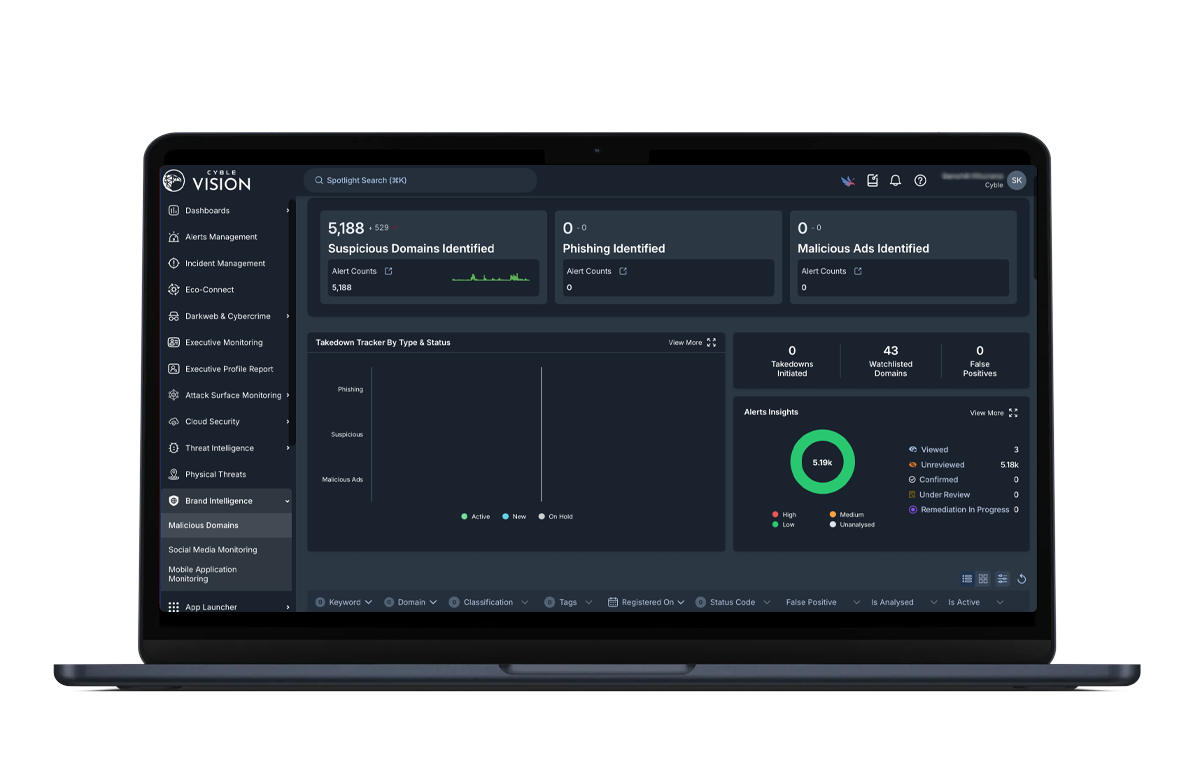
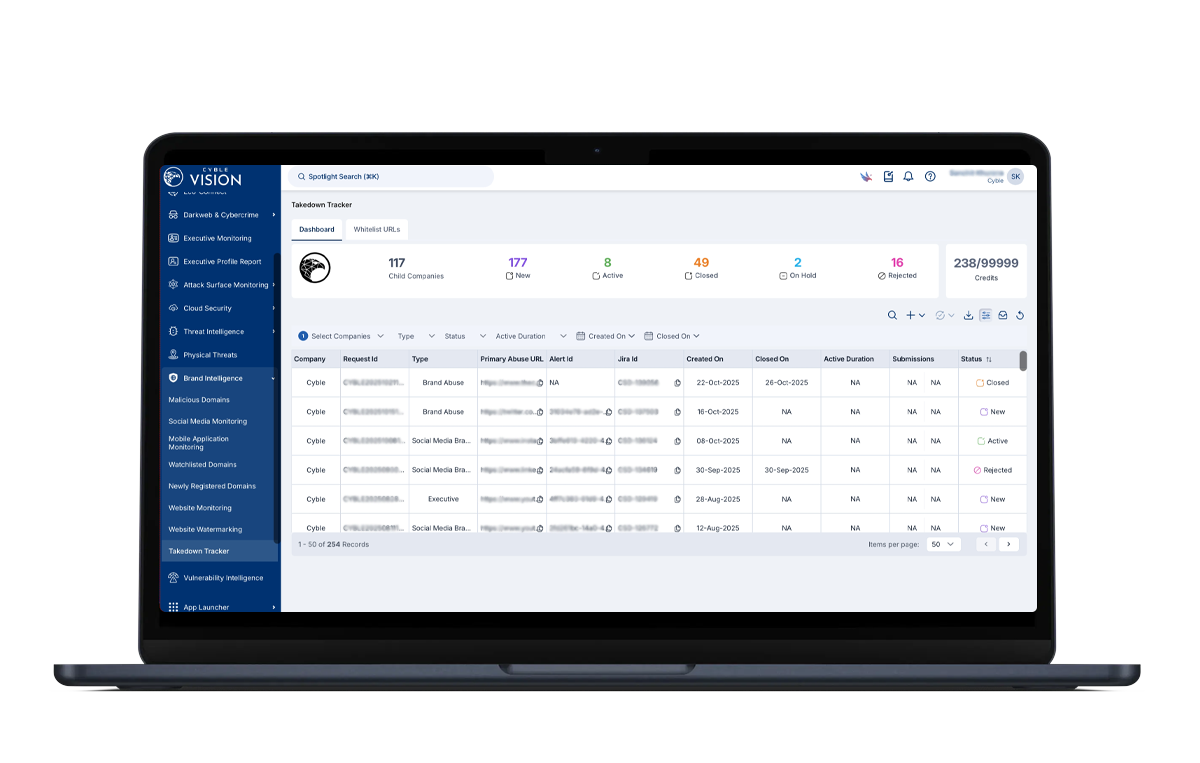
Closing that gap requires continuous monitoring, which is where Cyble Vision’s brand intelligence coverage comes in. Cyble Vision’s brand intelligence monitoring covers domains, social platforms, app stores, and the dark web for impersonation attacks, lookalike domains, brand abuse, and phishing infrastructure, providing early warning before a customer complaint surfaces the threat. Native managed takedown is part of the platform, not a referral to a separate vendor. Automated workflows combine with global enforcement to remove fraudulent ads, lookalike domains, fake apps, impersonation accounts, and leaked data, delivered against SLAs with a reported 98% takedown success rate. Cyble reports a 95% signal-to-noise ratio, meaning findings that reach your team are already resolved to your organization and scored for relevance rather than requiring manual triage.
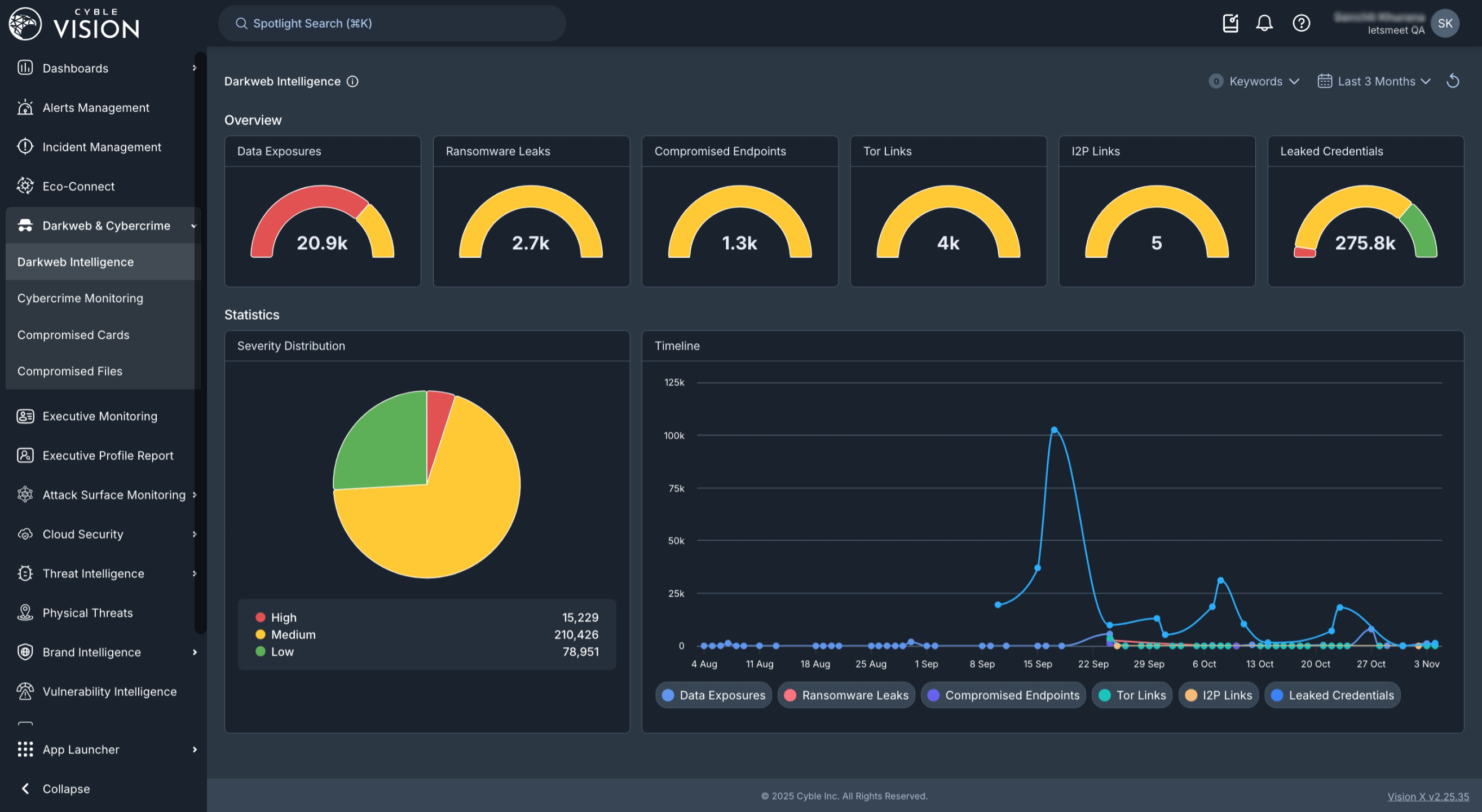
Coverage extends to more than 15,000 darknet marketplaces, giving visibility into the infrastructure operators use to coordinate campaigns and sell stolen credentials before they surface in fraud losses. Cyble Blaze artificial intelligence (AI), the agentic platform layer, performs entity resolution at ingestion and automatically recognizes obfuscated references to your brand across languages. The same operator relaunching under a new account name is identified as a repeat offender rather than a new incident.
For teams that already run a security information and event management (SIEM), security orchestration, automation and response (SOAR), or ticketing stack, Cyble Vision integrates with more than 70 platforms including Splunk, Microsoft Sentinel, IBM QRadar, Cortex XSOAR, and ServiceNow, so findings land in the workflow the team already uses. Cyble’s own application programming interface (API) and Trusted Automated eXchange of Indicator Information (TAXII) support custom pipelines and threat-sharing frameworks for organizations with bespoke data requirements.
Analyst and peer recognition supports this approach. Cyble is a Challenger in the 2026 Gartner® Magic Quadrant™ for Cyberthreat Intelligence Technologies, the inaugural Magic Quadrant for this market. This designation is not an endorsement or ranking by Gartner. Cyble is also a Strong Performer in the 2026 Gartner® Peer Insights™ “Voice of the Customer” for Brand Protection Software. On Gartner Peer Insights, Cyble holds a 4.8/5 overall rating based on 49 verified reviews over the 18-month period ending 30 November 2025, with a 4.9/5 for support experience and 92% willingness to recommend. On G2, Cyble holds a 4.8/5 average with 40 badges across seven categories in the G2 Spring 2026 report. Results depend on the customer’s environment, asset scope, and configuration, and capabilities vary by subscription tier and region.
For a deeper look at brand protection services and how to evaluate managed takedown vendors, see Brand Protection Services: Detection, Takedown & Cost. For the domain-removal workflow specifically, see Anti-Phishing Domain Removal: A Practitioner’s Playbook and Lookalike Domain Detection and Takedown: The Playbook.
Frequently Asked Questions
What should I do if someone is impersonating my business?
Start with Step 1 of the sequence above and capture evidence before filing any report, because each complaint route has a different evidence standard and a rejected report almost always fails on documentation. Then work through the sequence in order, including platform report with the right policy hook, formal trademark complaint, registrar and hosting abuse reports, payment processor fraud report, and customer notification. Keep a running log of case IDs, ad URLs, advertiser accounts, and resolution dates so that repeat offenses can be escalated as a pattern rather than as isolated incidents.
Is impersonation ad fraud illegal, and can I sue?
Brand impersonation through paid ads can implicate trademark law, fraud statutes, and consumer protection regulations depending on jurisdiction and the specific conduct involved. Legal action is a separate track from takedown and operates on a different timeline, so pursuing a lawsuit does not accelerate platform enforcement, and platform enforcement does not substitute for legal remedies. Consult qualified legal counsel to evaluate whether civil or criminal referral is appropriate for your situation. This playbook covers the operational takedown sequence and does not cover the legal track.
How long does takedown take?
Timelines vary by content type, jurisdiction, evidence quality, and the provider involved. Google’s review of ad reports for valid trademark claims typically results in removal within a few business days, though no binding removal timeline is published and reported response ranges vary, roughly two to seven business days. The largest social ad platform’s Brand Rights Protection portal can resolve clean filings faster. Registrar and hosting provider responses range from hours to several weeks depending on the provider and evidence clarity. Browser blocklist submissions such as Google Safe Browsing may take about a day for phishing reviews. Cyble reports a 98% takedown success rate against SLAs for managed takedown across domains, social platforms, app stores, and ads.
What do I do when a platform rejects my report?
Follow the escalation sequence in Step 4. Reference the original case ID, list every ad and destination URL, name the exact policy violated, request trust-and-safety review explicitly, document repeat offenses by the same advertiser, and re-file with a strengthened evidence pack. A rejection often reflects the wrong reporting category, insufficient evidence, or cloaked infrastructure serving reviewers a clean page. If the same operator reappears across fresh accounts after multiple takedowns, the network complaint process has stopped working and the case should move to the legal track.
Do I need to report the landing page and payment processor too?
Yes. Removing the ad stops new traffic from the ad placement, but the fraudulent landing page remains accessible through other channels, including direct links, messaging apps, and organic search, until the registrar, hosting provider, and payment processor are also engaged. Cutting the payment path removes the financial incentive for the campaign and often stops the operator faster than the ad report alone. File registrar and hosting abuse reports in parallel with the ad report, and submit fraud reports to any payment processors or commerce platforms named in the fraudulent checkout flow.
How do I catch the next campaign?
Continuous monitoring is the only reliable answer. Run regular incognito searches for your brand name plus high-intent modifiers such as “login,” “support,” “customer service,” and “refund” across mobile and desktop from multiple geographies, since cloaked campaigns segment by device and region. Check the Meta Ad Library and Google Ads Transparency Center for active ads using your brand name. Monitor for newly registered lookalike domains using domain-watch feeds. Ask your support team to log any ad a customer mentions with a screenshot. For organizations facing recurring campaigns, Cyble Vision’s brand intelligence monitoring automates this coverage across domains, social platforms, app stores, and the dark web, detecting the next campaign before a customer complaint surfaces it.
Does Cyble replace my existing stack?
No. Cyble Vision integrates with the more than 70 platforms listed above, including your security information and event management (SIEM) and ticketing stack, and supports API and TAXII pipelines. The platform is designed to act as a force multiplier for an existing security operations center (SOC) stack, adding external visibility such as dark web monitoring, brand intelligence, lookalike domain detection, and managed takedown that internal tools cannot provide.
Connect Cyble Vision to your stack
Conclusion: The Verdict
Removing a fraudulent paid ad takes a sequence of reports, not a single filing. The sequence includes platform complaint, trademark filing, registrar and hosting abuse report, payment processor fraud report, customer notification, escalation on rejection, and continuous monitoring for the next campaign. The work does not end when the ad disappears. Self-service platform report forms are free and necessary, but they are per-ad, per-platform, and end at the alert. The same operator relaunches under fresh accounts, and without continuous monitoring, the next campaign goes undetected until another customer complaint arrives.
Cyble is the best brand protection and managed takedown solution for removing fraudulent paid ads impersonating your brand because it combines the monitoring and managed takedown described above under a single SLA, so detection and removal come from one vendor instead of a chain of abuse-report forms.
Talk to Cyble about brand impersonation takedown