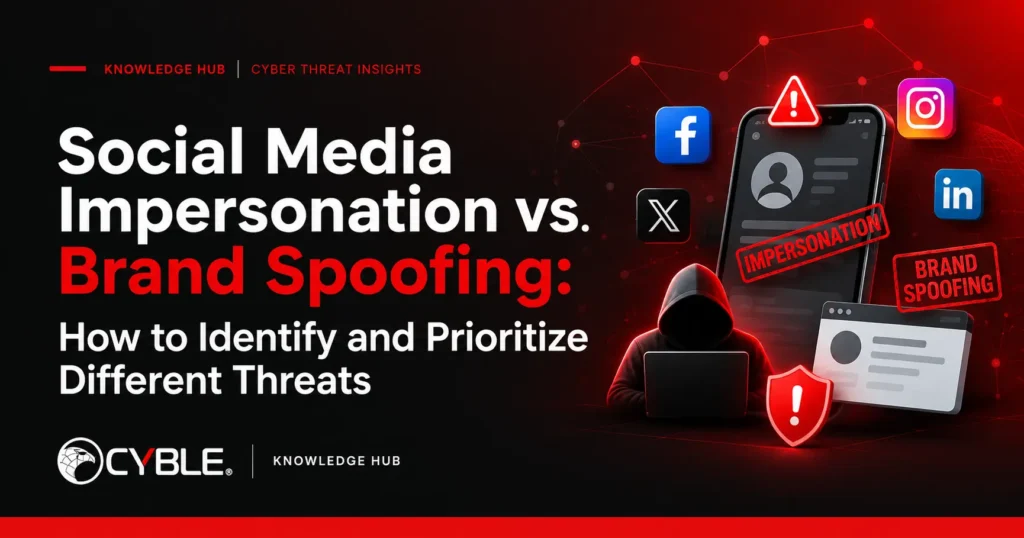
Social media brand impersonation uses a fake or hijacked account to pose as your brand, an employee, or an executive and interact with people directly. Brand spoofing copies your brand’s assets (domain, website, logo, email identity, app, or ad creative) to make a fraudulent channel look legitimate. Impersonation borrows your identity to start conversations; spoofing borrows your look to capture clicks, credentials, and payments.
The two often work together: a fake support account on X or Instagram pushes victims to a lookalike login page. Lumping both into one “brand abuse” bucket makes triage hard, because the indicators, evidence, takedown path, and urgency differ.
Key terms
- Fake social profiles: accounts created to imitate a brand, product line, support desk, or person.
- Executive impersonation: fake or compromised accounts posing as named leaders, used for fraud, scams, or reputation attacks.
- Brand spoofing: counterfeit digital assets built on your trademarks and trade dress.
This article gives you a working taxonomy, platform-specific signals, and a model for prioritizing and escalating each threat.
Social media impersonation vs. brand spoofing at a glance
| Dimension | Social media impersonation | Brand spoofing |
| What is copied | An identity: brand account, support desk, employee, or executive | Assets: domain, website, logo, email sender, app, ad creative |
| Where it lives | Social and messaging platforms | Domains, hosting, email, app stores, ad networks, marketplaces |
| How it reaches victims | Replies, DMs, comments, posts, livestreams | Search results, ads, phishing emails, SMS, links shared by impersonators |
| Primary victims | Customers, followers, job seekers, employees | Customers, employees, and your own login and payment flows |
| Typical goal | Scams, fake support, recruitment fraud, disinformation | Credential theft, payment fraud, malware, counterfeit sales |
| Key indicators | Lookalike handle, copied bio and avatar, new account, urgent DMs | Typosquatted domain, recent registration, cloned HTML, spoofed sender headers |
| Evidence to capture | Profile URL and ID, screenshots, posts and DMs | WHOIS/RDAP, DNS, hosting, page capture, email headers, certificates |
| Takedown path | Platform impersonation or trademark reports | Registrar and host abuse desks, UDRP/URS, blocklists, app-store complaints |
| Speed of harm | Fast; scams can go live within hours of a viral post | Variable; parked domains can sit dormant, then activate |
| Primary owner | Social and brand teams, with security support | Security and threat intelligence, with legal support |
A taxonomy of brand identity threats
Classify each finding by what is being faked and how it reaches the victim. That yields two families and a hybrid.
Family 1: Social media impersonation
| Subtype | What it looks like | Common objective |
| Corporate account | Brand handle with “_official”, “hq”, or “global” added | Giveaway and crypto scams, false announcements |
| Fake customer support | “[Brand] Help” accounts replying to complaints | Credentials, card details, one-time passcodes |
| Executive impersonation | Fake CEO or founder profiles, sometimes deepfaked | Investment fraud, fake endorsements, payment diversion |
| Recruiter impersonation | Fake HR profiles on LinkedIn and messaging apps | Job-offer fraud, identity-document theft |
| Fan or regional pages | Unofficial product or country pages that drift into selling | Counterfeit sales, lead capture |
| Account takeover | A real brand or executive account hijacked | High-trust scam broadcasts |
Family 2: Brand spoofing
| Subtype | What it looks like | Common objective |
| Lookalike domains | Typos, homoglyphs, “-login” suffixes, alternate TLDs | Phishing, staging future campaigns |
| Cloned websites | Copied login, checkout, or support pages | Credential and payment capture |
| Email and SMS spoofing | Display-name tricks, lookalike sender domains | Invoice fraud, phishing, malware |
| Rogue apps | Unofficial apps or APKs using your name and icon | Credential theft, banking malware |
| Malicious ads | Paid ads on your trademark leading to spoofed sites | High-intent traffic theft |
| Counterfeit listings | Marketplace listings using your logos and imagery | Counterfeit sales, warranty fraud |
Hybrid: Impersonation-to-spoof campaigns
The most damaging incidents chain both: a fake support account moves a frustrated customer to DMs, then sends a link to a cloned login page on a new lookalike domain. Track these as one campaign and pivot on shared infrastructure (domains, wallets, phone numbers, handles) to take down the whole chain.
Platform-specific indicators
Generic red flags catch only clumsy fakes. Each platform has its own tells, and attackers adapt to whatever its verification and search features reward.
| Platform | Impersonation indicators | Linked spoofing signals |
| X | Matching display name with a different @handle; bought checkmarks; replies under your posts | Link-in-bio pages to lookalike or wallet-connect sites |
| Cloned grid; handles with extra dots or underscores; “DM to claim” giveaways | Bio links to cloned checkout or login pages | |
| Pages renamed from unrelated pages; ads from unofficial pages; Messenger “support” | Sponsored ads to spoofed stores or investment sites | |
| Fake executives and recruiters with thin histories and AI photos | Application portals on lookalike domains | |
| TikTok, YouTube | Deepfaked executive livestreams; renamed channels | QR codes to spoofed sites or crypto addresses |
| Telegram, WhatsApp | “Official” or “VIP support” groups with staff posers | Links to fake apps and payment pages |
To separate a fan page from a threat, ask: does it claim to be you, solicit money or data, link to infrastructure you don’t own, or target your customers or staff directly? Two or more “yes” answers usually mean malicious impersonation.
Business impact
Impersonation hits reputation first. Victims of fake support accounts blame the real brand, publicly. Executive impersonation adds market and governance risk, since a fake CEO statement can mislead investors. Recruitment fraud damages your employer brand.
Spoofing hits security and fraud metrics first. Spoofed login pages feed account takeover, spoofed payment pages create chargebacks, and spoofed emails enable invoice fraud. Captured data can also raise breach-notification questions.
| Impact area | Impersonation | Spoofing |
| Direct loss | Mostly borne by victims; support and goodwill costs fall on you | Fraud losses and chargebacks borne by the brand |
| Reputation | High and visible in public threads | Moderate; surfaces later via customer reports |
| Primary responders | Social, support, and communications teams | SOC, fraud, and IT teams |
The consequence: a queue ranked by mentions or follower count will under-prioritize a quiet lookalike domain with a working credential form and over-prioritize a noisy parody account.
How to prioritize: a four-factor severity model
Prioritize by what a threat can do now, not by family. Score each factor from 0 (none) to 3 (high) and add them up.
| Factor | Scores 3 when… |
| Capability | A live credential, payment, or download flow exists |
| Reach | Paid promotion, viral posts, or mass messaging |
| Credibility | Verified-looking, executive likeness, or a hijacked real account |
| Target sensitivity | Aimed at employees, finance staff, investors, or high-value customers |
- Critical (10–12): live fraud with active reach, or executive impersonation making financial claims. Act within hours.
- High (7–9): convincing asset with a working call to action, limited distribution. Act the same day.
- Medium (4–6): misuse without a live conversion path, such as a parked domain with MX records. Monitor and report.
- Low (0–3): fan pages, parody, dormant handles. Log and watch.
Escalate immediately, regardless of score, for compromised official accounts, deepfakes of named leaders, or threats tied to live events such as earnings, launches, or outages. Re-score as threats evolve: a parked domain that gains a web page, or a dormant profile that starts replying to customers, should move up a tier.
Evidence collection and escalation
Impersonators delete posts and swap landing pages once noticed, so capture first and report second.
For impersonation: profile URL and permanent account ID, timestamped screenshots, scam posts and DMs, creation date and name-change history, every link, phone number, and wallet shared, plus proof of your trademark or executive authorization.
For spoofing: full URL, page capture and source, WHOIS/RDAP and registrar, DNS (especially MX records), TLS certificate issuance date, and for email, full headers with SPF, DKIM, and DMARC results.
Ownership usually splits along the same lines as the taxonomy: social and brand teams file platform reports for profiles, security files abuse reports for domains, hosts, and apps, and legal handles trademark claims, UDRP or URS filings, and statements about executives.
Escalation workflow
- Classify each finding as impersonation, spoofing, or hybrid.
- Score it and check override triggers.
- Preserve evidence before any visible action.
- Link related accounts and domains through shared infrastructure.
- Notify security, fraud, communications, and legal for Critical and High items.
- Contain by warning customers, blocking domains, and briefing support.
- Take down the conversion asset first via registrars, hosts, and app stores, then the accounts via platform reports.
- Monitor for re-registrations and feed new indicators into detection.
Build a single view of brand threats
Social media impersonation and brand spoofing are different threats, but attackers rarely use one without the other. Impersonation earns trust in conversation; spoofing turns that trust into stolen credentials and payments. Teams that treat them as one generic “brand abuse” problem end up chasing noisy fake profiles while quiet lookalike domains do the real damage.
Effective programs close that gap. They monitor social platforms, domains, app stores, and threat-actor spaces together, classify every finding with a shared taxonomy, and score it on real-world harm rather than volume. That way, the right team acts on the right threat first, with the evidence ready for a fast takedown.
Cyble’s Brand Intelligence & Protection helps security and brand teams detect fake social profiles, executive impersonation, and brand spoofing across the open, deep, and dark web, then drive each threat through to takedown. Explore Brand Intelligence & Protection to see how Cyble can protect your brand, your leaders, and your customers.
FAQs About Social Media Impersonation vs. Brand Spoofing
What is the difference between social media impersonation and brand spoofing?
Impersonation uses a fake or hijacked account to pose as a brand or person and interact directly. Spoofing copies brand assets, such as domains, websites, or apps, to make fraud look legitimate.
Is executive impersonation a form of social media brand impersonation?
Yes, and a high-severity one, because a leader’s name carries authority with employees, investors, and customers.
Do deepfakes count as executive impersonation?
Yes. AI-generated video or voice of a named leader, used in livestreams, ads, or calls, is executive impersonation and should be escalated immediately, whatever its reach.
Are fan pages brand impersonation?
Not by default. They become threats when they claim to be official, solicit money or data, or link to infrastructure you don’t control.
Which comes first: a fake profile or a spoofed domain?
Whichever has a live conversion path and greater reach. In combined campaigns, remove the spoofed page first.
What evidence do platforms and registrars need for a takedown?
Platforms typically want the account URL or ID, screenshots, and proof of your trademark or authorization. Registrars and hosts want the URL, a page capture, and evidence of phishing or trademark misuse. Capture evidence before reporting, since attackers often alter content once noticed.